
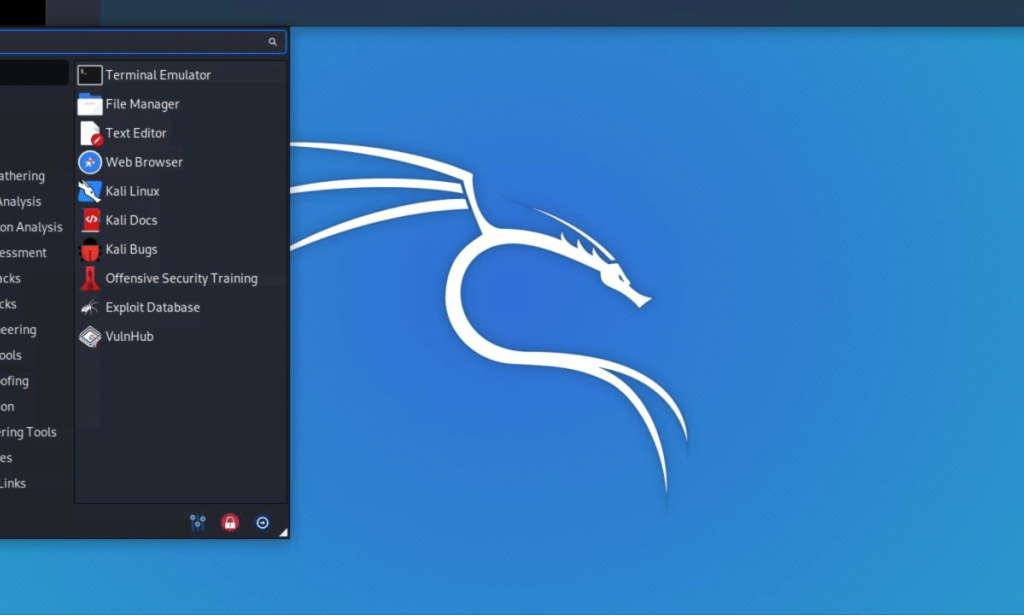
How To Run Kali Linux In Termux!.
About And Information Nethunter Kali Linux.
Kali Linux NetHunter on Termux is a powerful combination that brings the versatility and penetration testing capabilities of Kali Linux to Android devices. Kali Linux is a widely used open-source distribution known for its robust set of tools for network security, penetration testing, and ethical hacking. NetHunter is an open-source project developed by Offensive Security, the same organization behind Kali Linux, specifically tailored for mobile devices.
NetHunter on Termux leverages the Android ecosystem to create a mobile hacking platform. It allows security professionals, penetration testers, and enthusiasts to perform various security-related tasks on the go. Here's an in-depth explanation:
1. **Termux**: Termux is a terminal emulator and Linux environment app for Android devices. It provides a Linux-like shell that allows users to run Linux utilities and install packages, essentially turning your Android device into a lightweight Linux machine.
2. **Kali Linux**: Kali Linux is a Debian-based distribution designed for penetration testing and digital forensics. It includes a vast repository of pre-installed security tools, making it a popular choice for cybersecurity professionals.
3. **NetHunter**: Kali NetHunter is a specialized version of Kali Linux designed for Android devices. It comes with a custom kernel that supports various wireless devices, making it ideal for wireless penetration testing. NetHunter also includes a set of custom scripts and tools for mobile security testing.
4. **Integration**: By installing Kali NetHunter on Termux, users can harness the power of Kali Linux's toolset on their Android smartphones or tablets. This enables tasks like network scanning, vulnerability assessment, and penetration testing on the go.
5. **Features**: Kali NetHunter on Termux offers features like wireless injection, HID keyboard attacks, and support for external Wi-Fi adapters. It also allows users to run Kali Linux tools, making it versatile for various security assessments.
6. **Usage**: Security professionals can use Kali NetHunter on Termux to assess the security of Wi-Fi networks, perform ethical hacking tasks, test the security of mobile applications, and conduct penetration tests, all from the convenience of their Android devices.
7. **Community**: The Kali NetHunter community actively supports and develops the project, ensuring that it remains up-to-date and functional on a wide range of Android devices.
In conclusion, Kali NetHunter on Termux is a powerful solution for mobile security testing and penetration testing tasks, bringing the capabilities of Kali Linux to the palm of your hand. It empowers security experts and enthusiasts to assess and secure networks and devices with ease, making it a valuable tool in the field of cybersecurity.
System Requirement
Android 7+
- 2GB Ram Or Much
- Disk Space 10GB Free Or 8GB, Recommend 20GB Free Disk More
Processor Snapdragon, Mediatek. Avarage Or High+
GPU Adreno, And Mali Avarage Or High+
Now Installation And Setup.
Open Termux And Type This Command
pkg upgrade && pkg update -y
termux-setup-storage
pkg install wget -y
And Wait Install wget succes And Type this
wget -O install-nethunter-termux https://offs.ec/2MceZWr
chmod +x install-nethunter-termux
./install-nethunter-termux

And Now Select Kali Vnc Or Cli.
1. Full (full package with desktop vnc)
2. Minimal (vnc desktop)
3. nano (cli)
And Wait, Process Install.
Click Y/N, Y
Succes And Run Command Kali Linux
Change Password Or New Password
nethunter kex password
Start Gui Desktop Linux
nethunter kex &
And You Exit From Kali Linux Type This
exit
:)
List Command root
- nethunter (start Kali NetHunter command line interface)
- nethunter kex passwd (configure the KeX password (only needed before 1st use)
- nethunter kex & (start Kali NetHunter Desktop Experience user sessions)
- nethunter kex stop (stop Kali NetHunter Desktop Experience)
- nethunter ( run in NetHunter environment)
- nethunter -r (start Kali NetHunter cli as root)
- nethunter -r kex passwd (configure the KeX password for root)

You must be logged in to post a comment.