
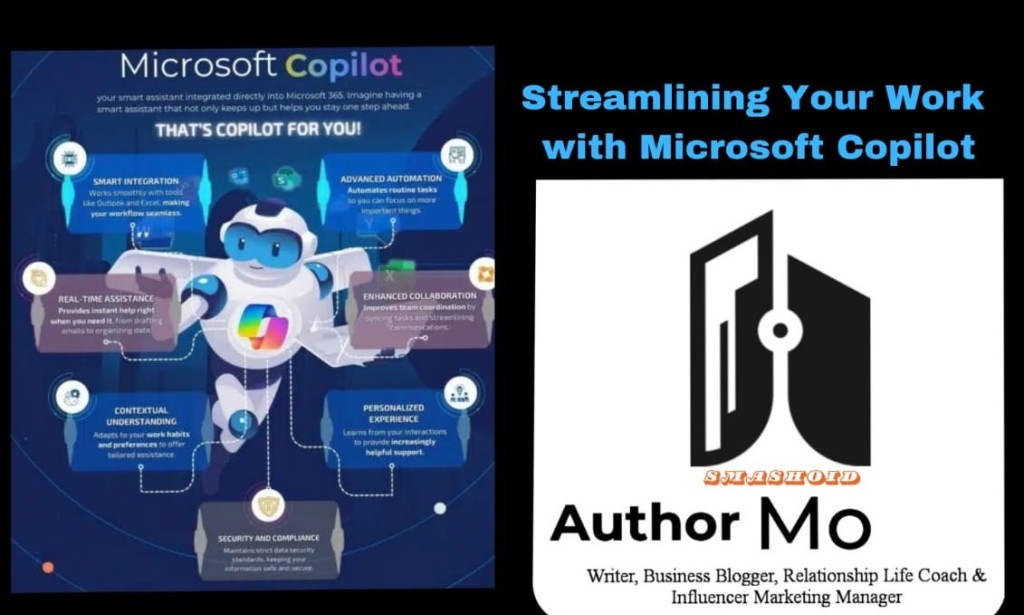
In today’s fast-paced business world, efficiency is key. As technology advances, tools that help streamline workflow have become invaluable. One such tool is Microsoft Copilot, an AI-driven assistant designed to help users maximize productivity across various Microsoft applications. Copilot is integrated into popular programs like Word, Excel, PowerPoint, and Teams, enabling users to work more efficiently with less manual effort.
1. The Rise of AI in the Workplace
Artificial intelligence (AI) is transforming industries across the globe. From automated customer service bots to advanced data analytics, AI tools are enabling businesses to operate more effectively. Microsoft Copilot is part of this AI revolution, using machine learning and natural language processing to simplify tasks and automate complex processes. It assists users by understanding their commands, offering intelligent suggestions, and handling repetitive tasks, so employees can focus on higher-level thinking.
2. What is Microsoft Copilot?
Microsoft Copilot is an AI-powered assistant built into Microsoft 365 apps. It leverages advanced machine learning models to help users across a wide range of tasks. The core idea is to integrate Copilot seamlessly into the Microsoft suite, allowing users to get real-time assistance while using their everyday work tools.
The tool works by integrating with data from Microsoft Graph—an API platform that connects various data points such as emails, calendar events, files, and chats—and generates insights based on these data points. This functionality means that Copilot doesn’t just follow simple commands, but instead understands context and can generate meaningful outputs that cater to your needs, whether you're drafting a report in Word, creating a budget in Excel, or preparing a presentation in PowerPoint.
3. Key Features and Benefits of Microsoft Copilot
a. Time-Saving Automation
One of the most prominent benefits of Microsoft Copilot is its ability to save time. In applications like Excel, Copilot can assist by automating data analysis, creating complex formulas, and generating visual charts based on your data inputs. Instead of manually crafting every function or graph, users can ask Copilot to “analyze sales data for trends,” and it will instantly provide meaningful insights, reducing hours of manual labor to minutes.
In Word, Copilot can draft entire documents based on prompts. You can ask it to “create a project proposal” or “summarize meeting notes,” and it will generate a draft for you. While these drafts may need tweaking, they provide a strong starting point and help reduce the mental load involved in creating documents from scratch.
b. Enhanced Collaboration with Microsoft Teams
Microsoft Copilot also enhances communication and collaboration within Microsoft Teams. In meetings, Copilot can be asked to summarize key points, suggest action items, and even offer insights based on the discussion. It also assists with post-meeting follow-ups by summarizing conversations, noting key decisions, and recommending next steps.
This level of integration reduces the time spent sifting through chat histories or reviewing meeting minutes and ensures that everyone remains aligned on their tasks. This is especially useful in large teams where meetings happen frequently, and it’s easy for key information to get lost.
c. Intelligent Suggestions in PowerPoint
PowerPoint presentations can be time-consuming to create, but Copilot can accelerate this process significantly. When designing a presentation, Copilot can suggest layouts, themes, and visuals that best fit your content. For example, you can instruct it to “create a slide summarizing last quarter’s performance,” and Copilot will pull relevant data from Excel and create a well-designed slide.
Additionally, if you’re stuck on what content to include, Copilot can offer suggestions based on your previous work, ongoing projects, or relevant documents. This makes the task of creating visually engaging and content-rich presentations far less daunting.
d. Data Mastery in Excel
Data analysis and reporting in Excel is often labor-intensive, but Microsoft Copilot is designed to make this process smoother. By interpreting natural language commands, Copilot can quickly generate pivot tables, charts, and graphs based on complex datasets. You don’t need to know all the Excel formulas or technicalities; instead, you can simply type in your query, like “show me the quarterly sales breakdown,” and Copilot will create the necessary data visuals or tables for you.
This also applies to financial modeling and forecasting. Copilot can take large sets of numbers and generate predictive models, identify trends, and offer data-backed suggestions on where to focus business efforts. This functionality makes it accessible for users who may not have a deep background in analytics but need to make data-driven decisions.
e. Streamlined Document Management
Whether it's Word or Excel, Microsoft Copilot excels in assisting with document creation and management. One of its key features is its ability to summarize lengthy documents. Instead of wading through pages of text, you can ask Copilot to “summarize the key points,” and within seconds, you’ll have a concise summary of the most critical information. This is particularly useful for professionals who deal with extensive reports, research documents, or legal contracts.
Copilot also helps manage document versions and edits. In collaborative work environments, documents often go through multiple revisions. Copilot can keep track of all changes, help identify what has been modified, and even suggest areas where edits may be necessary, ensuring that the final version is clean, accurate, and ready for distribution.
4. Improving Productivity for All Job Roles
One of the standout features of Microsoft Copilot is its versatility. It is not just for data analysts or IT specialists but is designed to assist employees across all roles and industries. From HR professionals handling employee data to marketing teams analyzing campaign performance, Copilot can adapt to the specific needs of any job.
For example, project managers can use Copilot to generate Gantt charts, timelines, and project summaries. Copilot can track project milestones, deadlines, and resource allocation, providing valuable insights and suggestions that help ensure projects stay on schedule. Marketing teams, on the other hand, can use it to analyze customer data, generate reports, and create compelling presentations for stakeholders. Whatever the industry, Microsoft Copilot is a flexible assistant that helps streamline tasks and improve productivity.
5. Addressing Concerns: Data Privacy and User Control
As with any AI-powered tool, there are concerns about data privacy and control. Microsoft has built Copilot with security and privacy in mind. Data processed by Copilot is managed within the Microsoft 365 ecosystem, which adheres to strict security protocols and complies with various global regulations, including GDPR. Additionally, users have control over what data Copilot accesses and can adjust settings to align with their company’s data policies.
6. Conclusion: The Future of Work with Microsoft Copilot
Microsoft Copilot represents a significant leap forward in how we interact with software and manage our workloads. Its ability to understand natural language, automate complex processes, and offer intelligent insights makes it a powerful tool for modern businesses. By streamlining tasks across Microsoft 365 apps like Word, Excel, PowerPoint, and Teams, Copilot helps professionals work more efficiently, freeing them up to focus on strategic, value-added activities.
As more organizations adopt Microsoft Copilot, the future of work is set to become more streamlined, automated, and productive. Copilot is not just an AI tool; it’s a collaborative partner that works alongside you to enhance your performance and drive better outcomes. Whether you’re drafting a document, analyzing data, or collaborating with a team, Copilot is there to simplify your workflow, making it an indispensable asset in today’s digital workplace.

You must be logged in to post a comment.